 WhatsApp
Case 02 · In-house product
Neta
Eleven years of spreadsheets, replaced in 74 days.

The case
From three spreadsheets to one app.
Context
An in-house personal finance product, used by 20 to 25 people.
Problem
Eleven years of finances in three hand-filled spreadsheets, with sum errors nobody noticed.
Solution
An installable app: you type or dictate an expense, AI suggests the details and the person confirms. It handles card instalments, two currencies and a budget.
Result
Scope
Ten features, no spreadsheet.
Entry by text, voice or form
The expense goes in on the spot, in three taps.
AI completion
AI suggests the category and details from the note.
AI suggests, the person confirms
Nothing is saved without someone seeing it.
Monthly summary
Net, by group and by category.
A budget that builds itself
From the previous month.
Cards and instalments
What's due on the next statement.
Shared projects
Who owes whom.
Pesos and dollars
Each currency with its own total, never mixed.
Recurring expenses
They show up on their own; they count once confirmed.
Passwordless sign-in
You sign in with an email.
Principles
AI suggests, the person decides.
Whatever AI filled in stays labelled until the person confirms it with a tap.
Private by design.
Each account sees only its own, enforced by the database; AI runs locally, with no third parties.
Eleven years, to the cent.
The migrated spreadsheets matched to the cent and 5 hidden errors surfaced.
How it was built
In production in 17 days.
- 29 Jul Research and decisions
- 1 Aug First commit
- 18 Aug In production
- 25 Aug First usable version
- 6 Sep 11 years migrated
- 12 Sep AI in production
- 20 Sep First outside users
- 14 Oct Spreadsheets replaced
Walkthrough
From dictating an expense to the budget, in five steps.
-
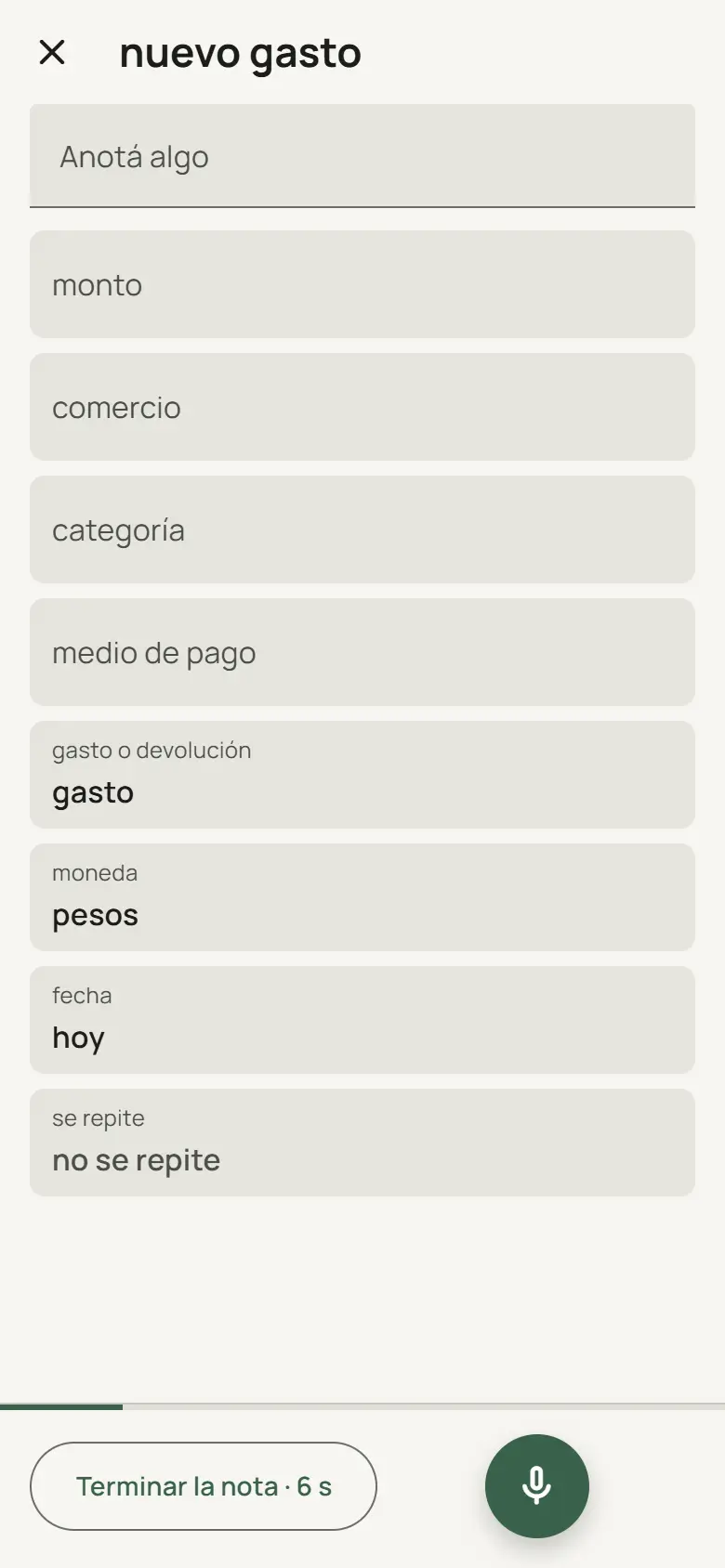 01 Dictate the expense
The way you'd say it to someone.
-
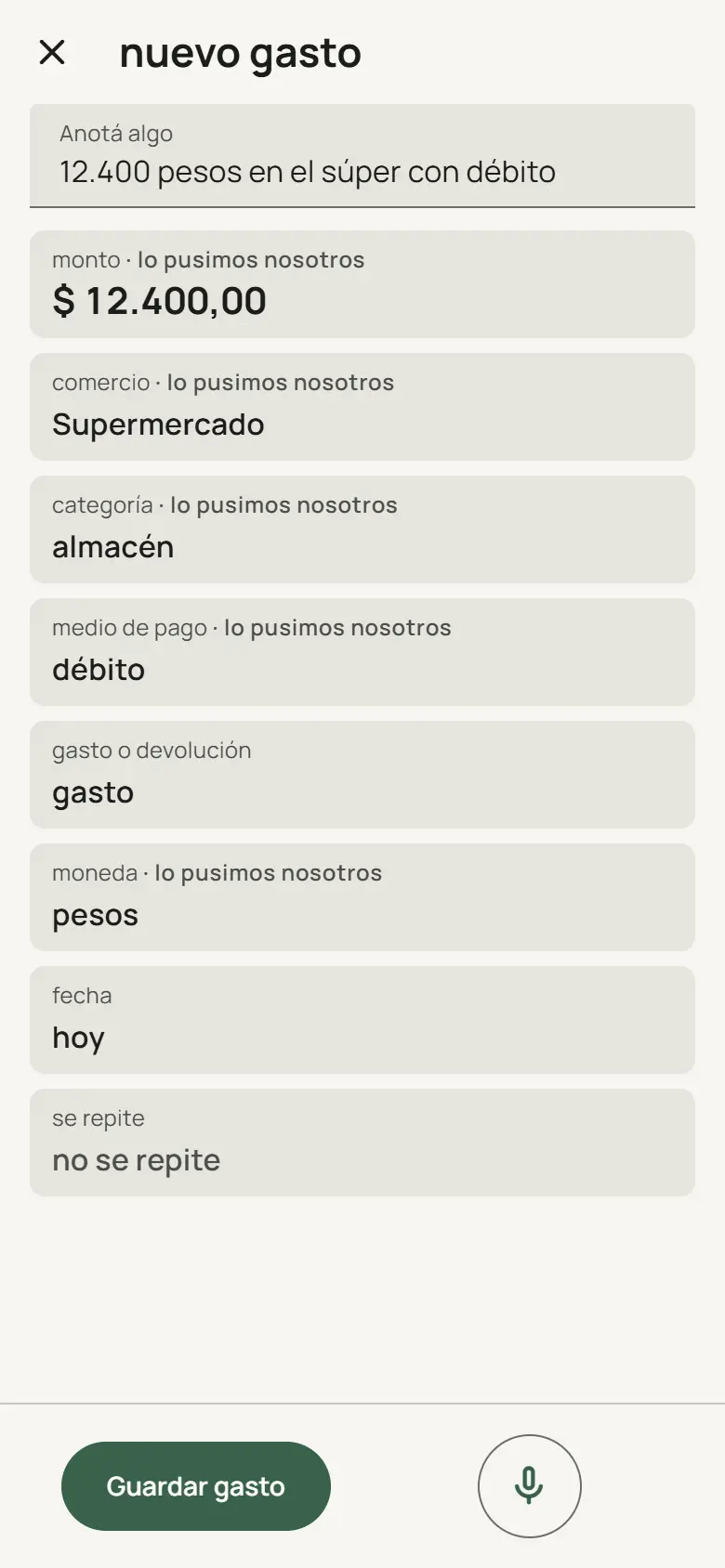 02 Review
What AI filled in, labelled.
-
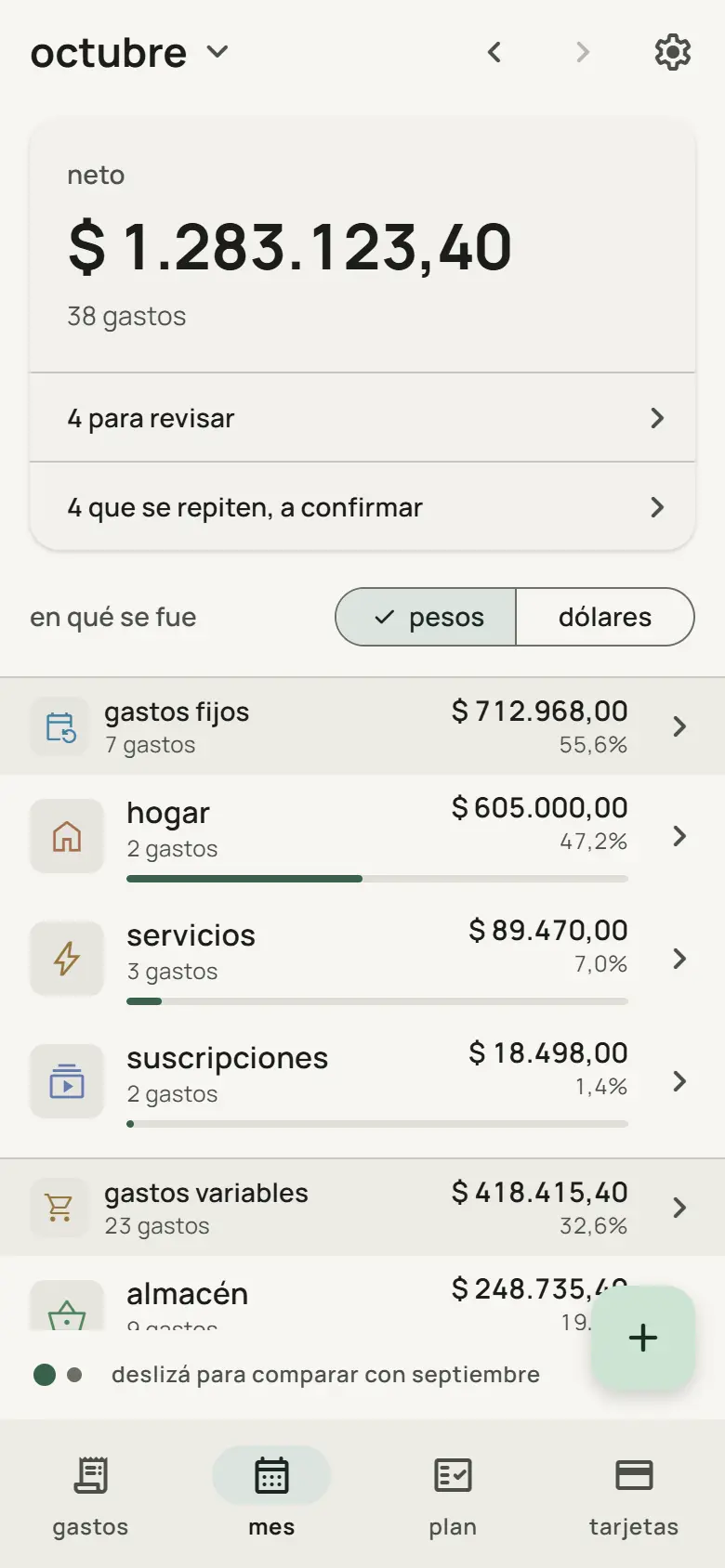 03 See the month
The expense already counts in the net.
-
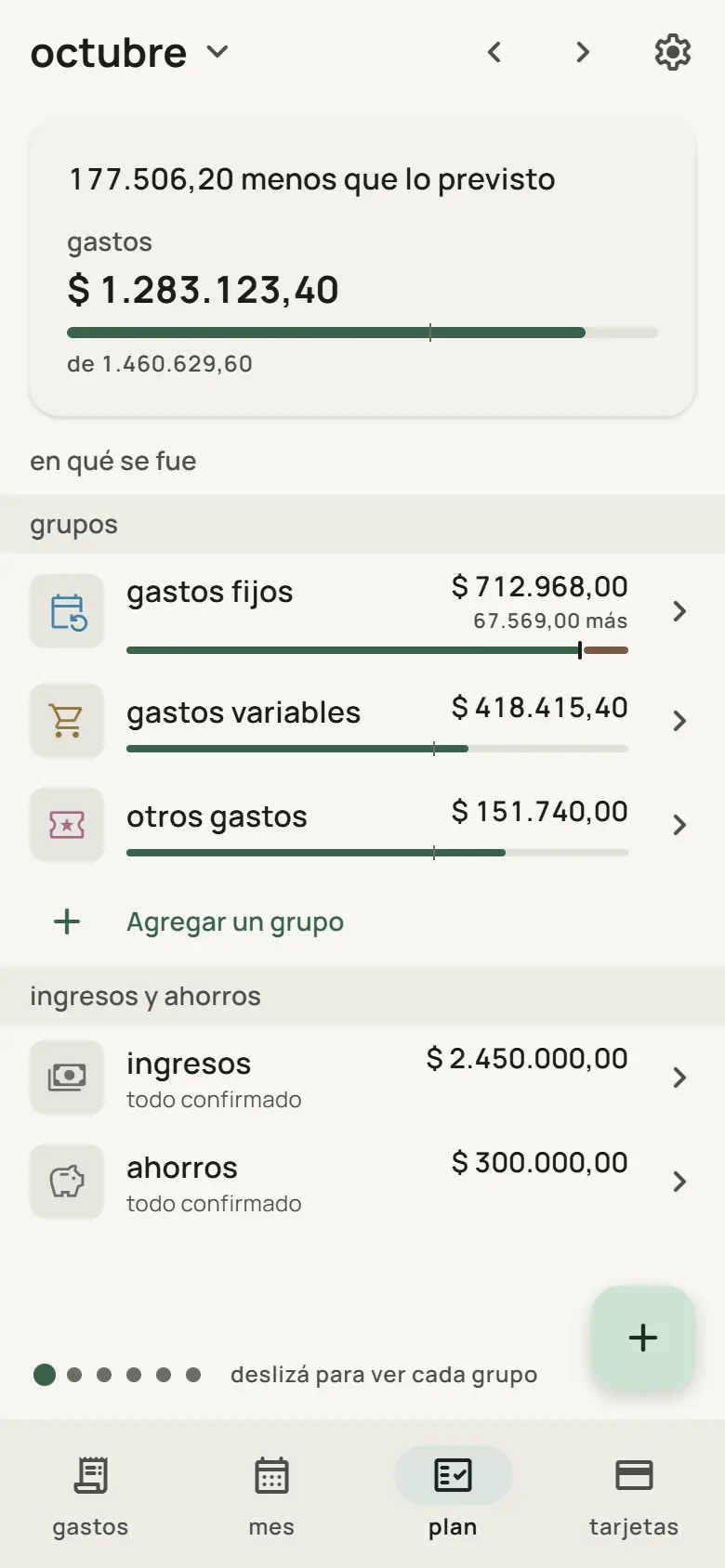 04 Against the budget
Spent versus planned.
-
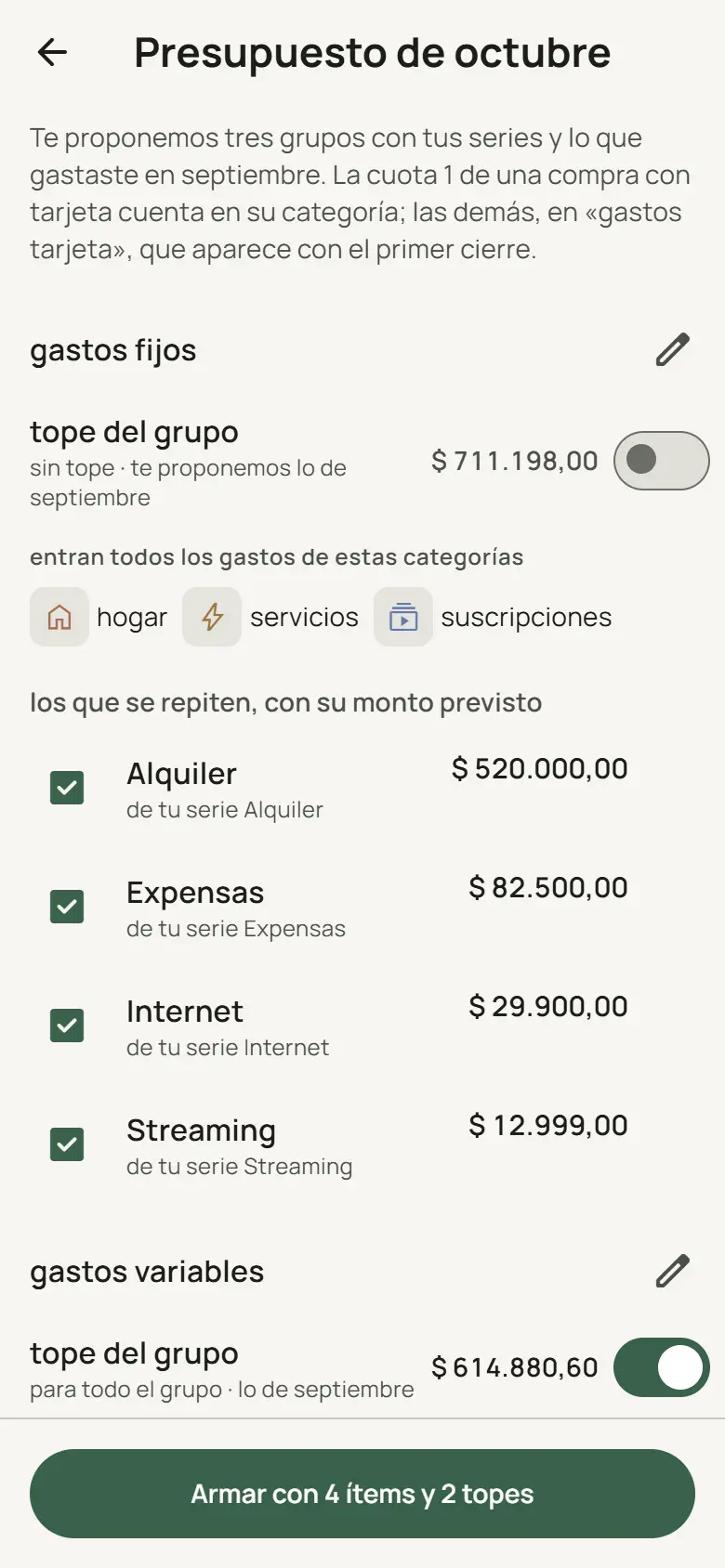 05 The budget, built for you
From the previous month.


Gallery
Everything else it handles.
-
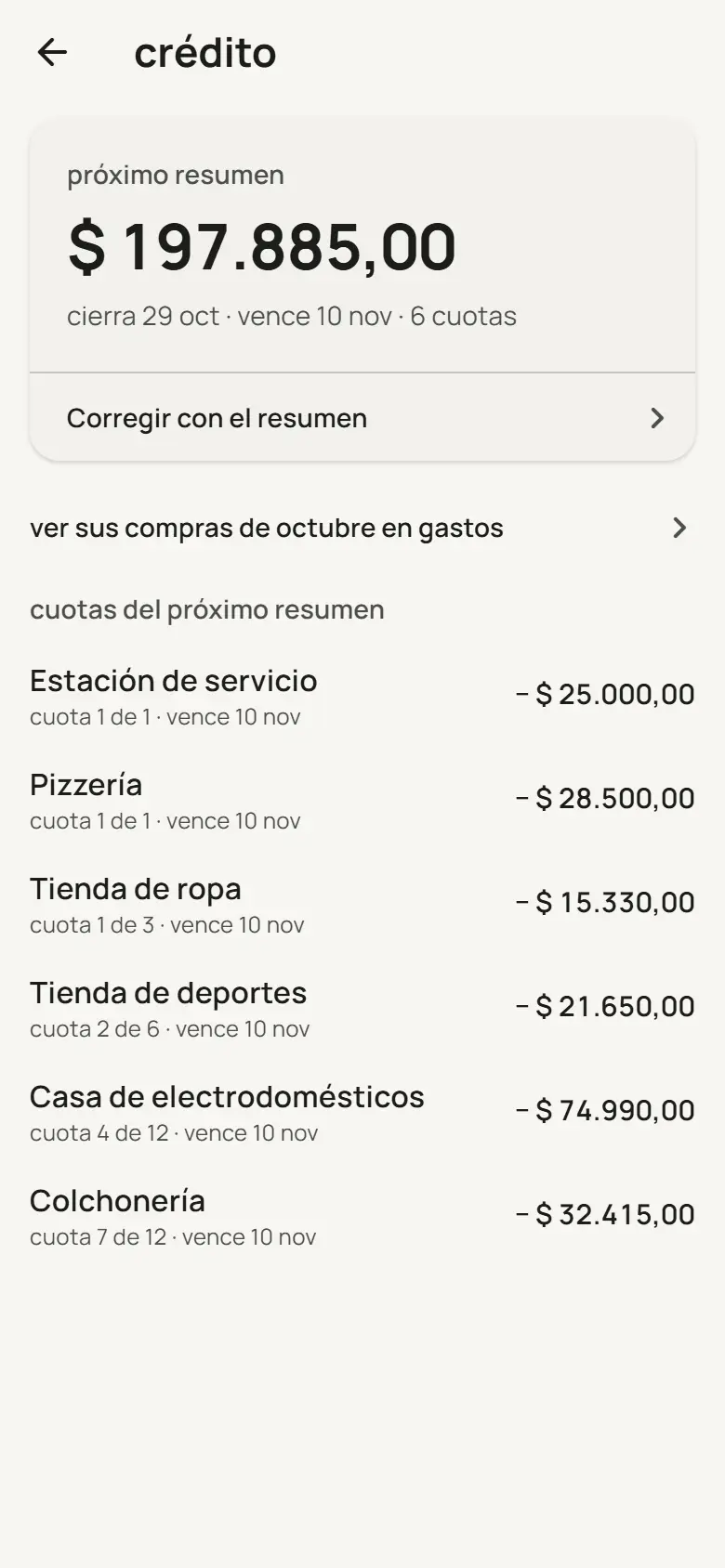 Cards and instalments
What's due on the next statement.
-
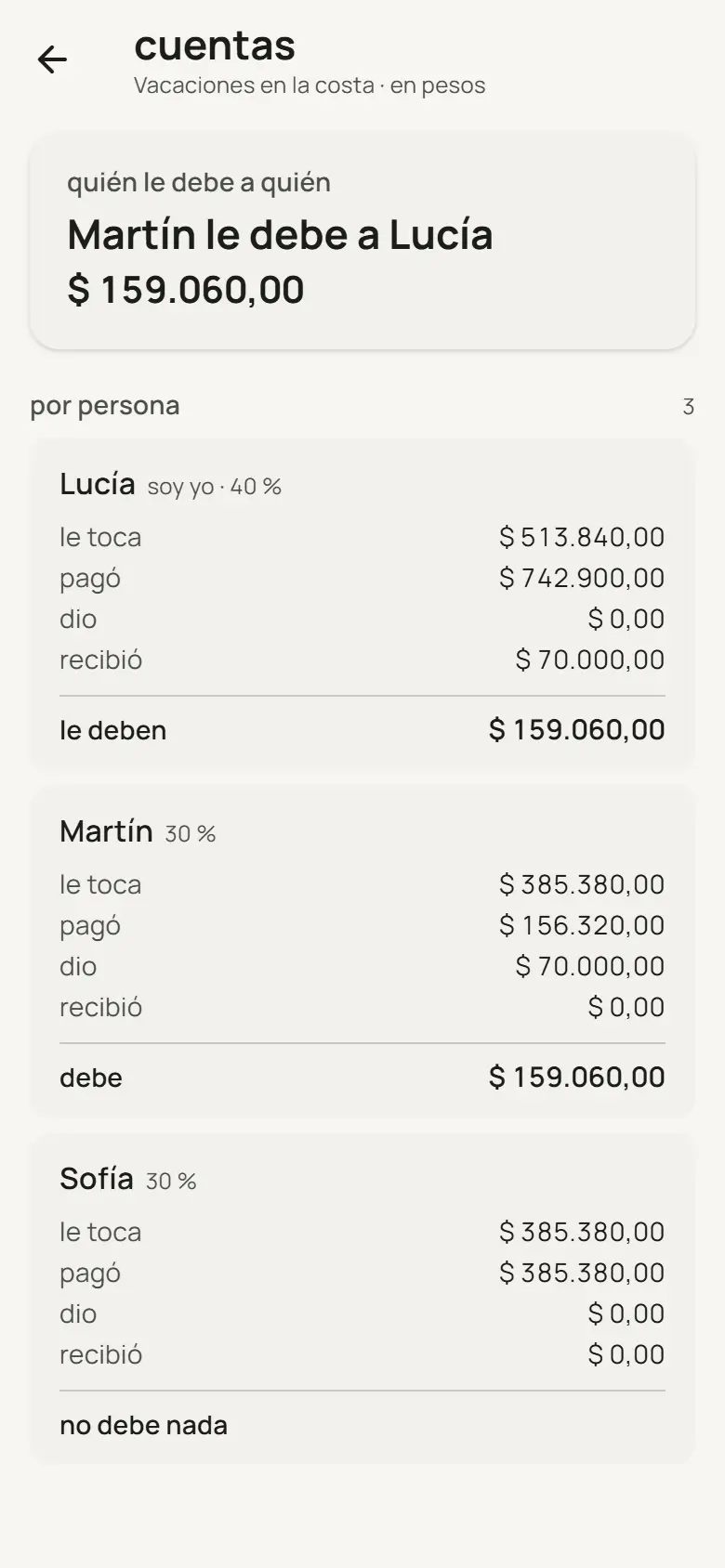 Shared funds
Who owes whom.
-
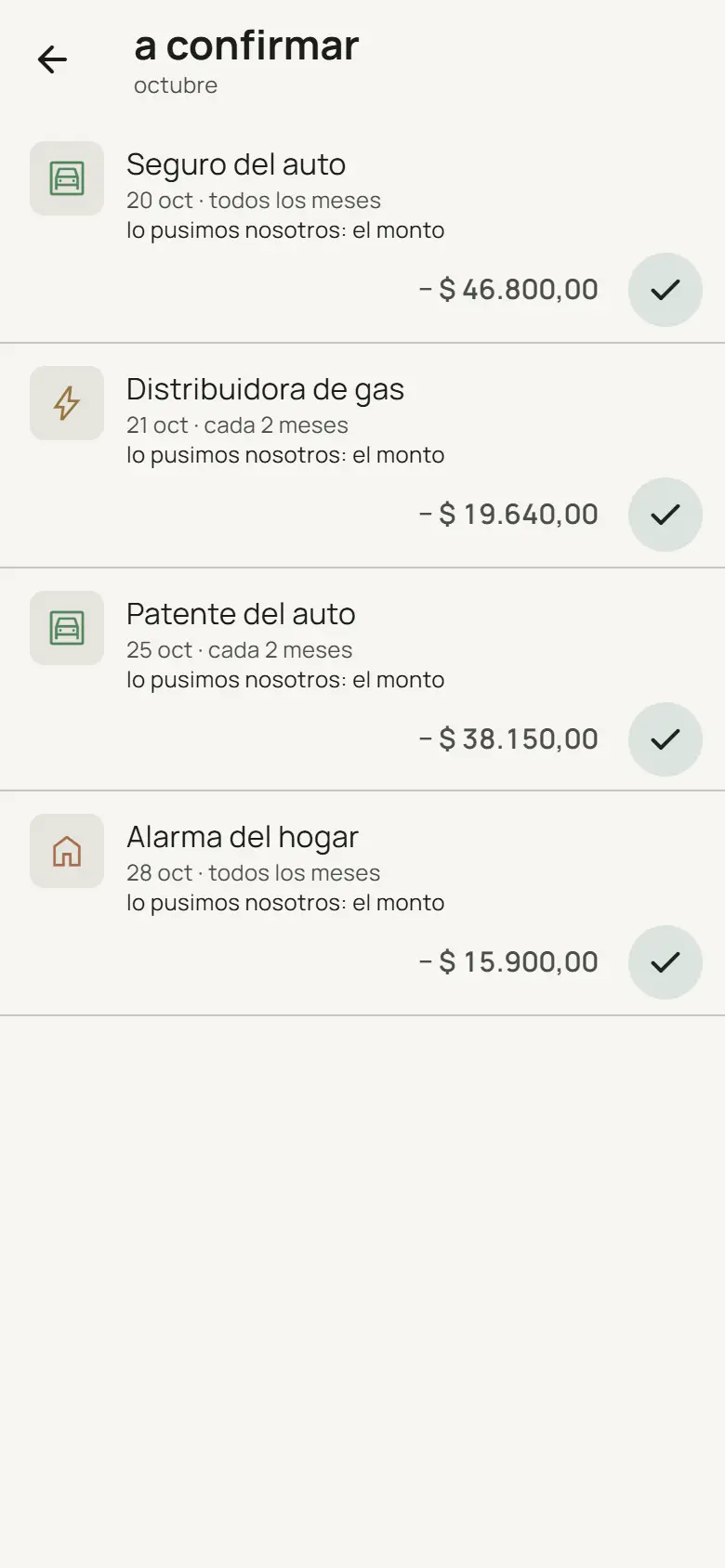 Recurring expenses
They show up on their own; they count once confirmed.
-
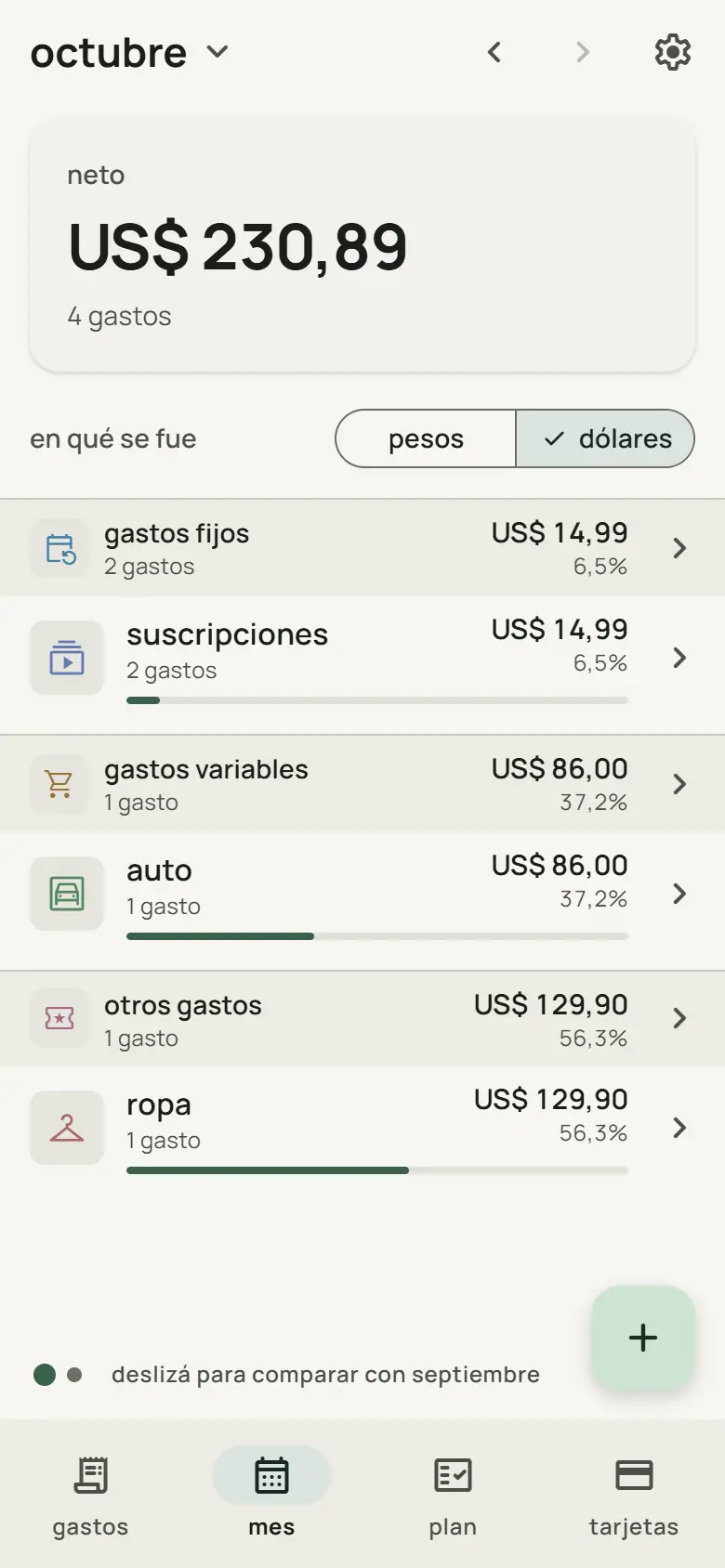 Pesos and dollars
Each currency with its own total.
-
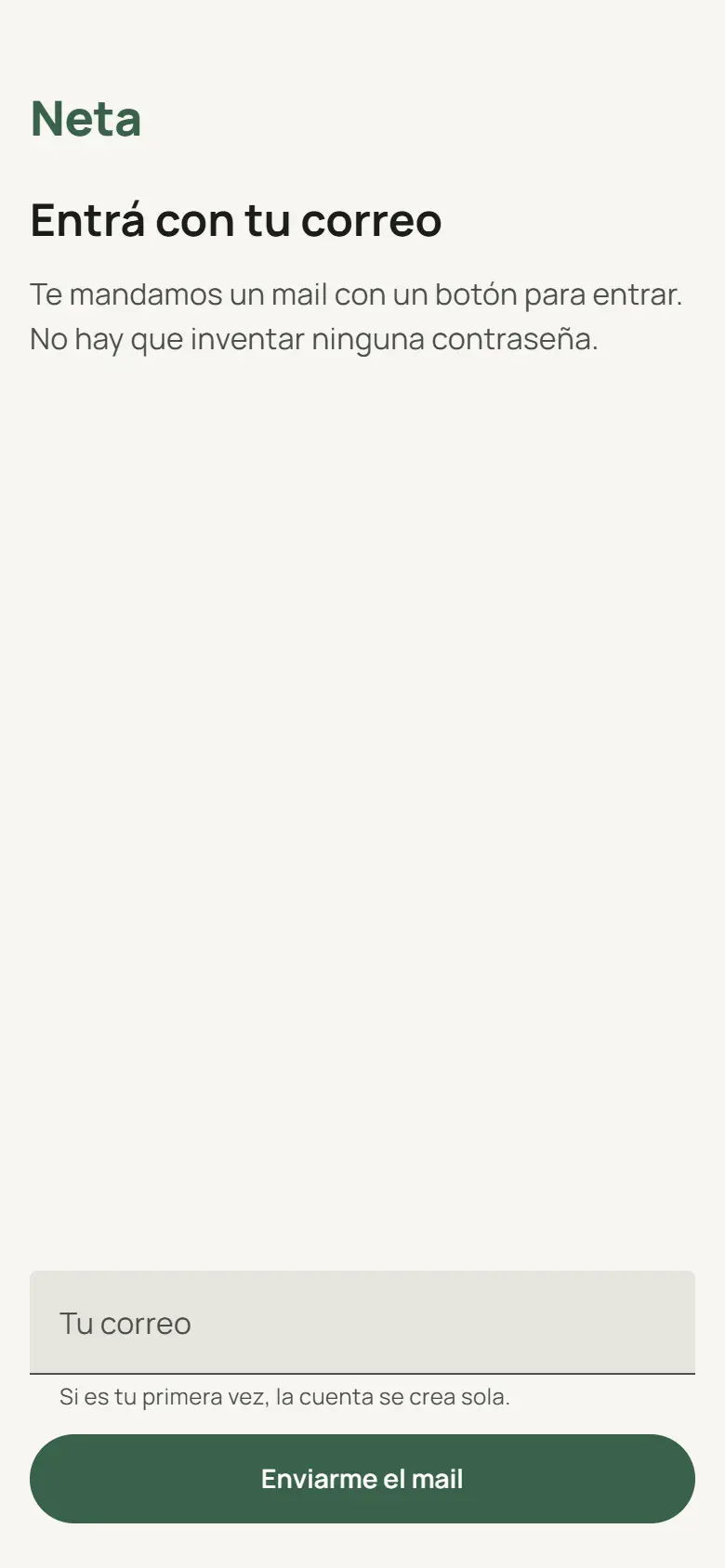 No password
You sign in with an email.


All screenshots show sample data.
Next step
Tell me how your company works.
The first step is an Operations X-ray: a process map, prioritized pain points and a closed scope.
Software comes second.

